

Microsoft Authenticator
100M+
App information
- Name:
- Microsoft Authenticator
- Category:
- Business
- Safety:
- Not verified
- Price:
- Free
- Developer:
- Microsoft Corporation
- Download:
- 100M+
Screenshots









About
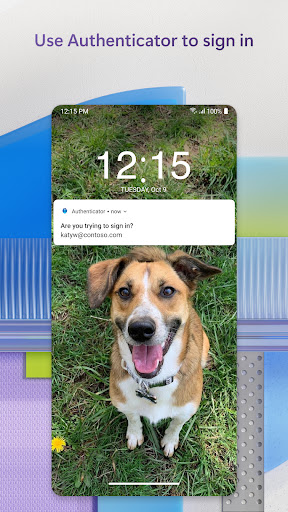
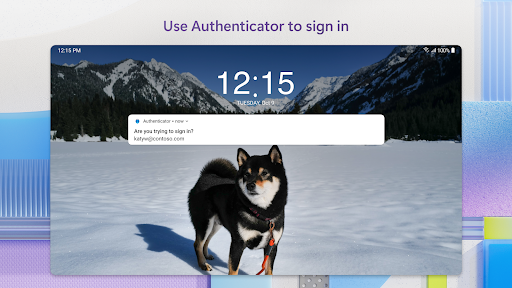
Microsoft Authenticator simplifies secure access to online accounts. It suits users who manage multiple digital identities, helping them log in efficiently. For example, it can approve sign-in notifications with a single tap, bypassing the need to remember complex passwords.
What Stands Out
- Enables multi-factor authentication via push notifications or one-time passwords for enhanced security.
- Facilitates passwordless sign-ins for Microsoft accounts using biometrics or a PIN.
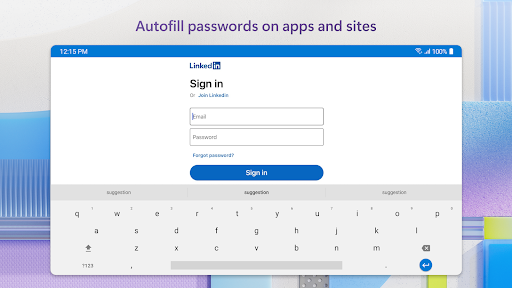
- Autofills passwords across apps and websites after verifying your identity.
- Supports adding non-Microsoft accounts like Facebook and Google for centralized management.
Things to Consider
Some organizational features, like certificate-based authentication, require device registration with your work or school. Optional permissions for accessibility, location, camera, or storage access exist. Users should check their organization's policies for specific requirements before granting permissions.
Useful Tips
- Approve sign-in notifications by tapping 'Approve' on your phone instead of entering a code.
- Enable passwordless sign-in for your Microsoft account to speed up access to services.
- Set Microsoft Authenticator as your default autofill provider for seamless password entry.
- Use the camera to scan QR codes for quickly adding new accounts.
More Apps
 ビックカメラShopping★ 5.01M+
 손목닥터9988Health & Fitness★ 5.01M+
 ScottishPower - Your EnergyHouse & Home★ 5.01M+
 調整さんProductivity★ 5.0100K+
 PrestaCOPFinance★ 5.050K+
 YouVersion BibleBooks & Reference★ 4.9100M+
 Question.AI - Chatbot&Math AIEducation★ 4.95M+
 Centi PRO - Currency ConverterFinance★ 4.91K+
 Word Search ExplorerWord★ 4.95M+
 Collage Maker | Photo EditorPhotography★ 4.9100M+
 Panera BreadFood & Drink★ 4.95M+
 StardustTV - Movies & DramasEntertainment★ 4.9500K+
 Waymo OneMaps & Navigation★ 4.91M+
 PopeyesFood & Drink★ 4.95M+
 CHANI: Your Astrology GuideLifestyle★ 4.950K+
 Al Quran (Tafsir & by Word)Books & Reference★ 4.95M+
 ColorNote Notepad NotesProductivity★ 4.9100M+
 SpeedwayFood & Drink★ 4.95M+
 Bubble Level - Level ToolTools★ 4.91M+
 MPCTravel & Local★ 4.91M+
 Marriott BonvoyTravel & Local★ 4.910M+
 ArriveCANTravel & Local★ 4.95M+
 LimeTravel & Local★ 4.910M+
 GIF Sticker & WAstickerSocial★ 4.95M+
 漢字辞典Books & Reference★ 4.9500K+
 ChewyShopping★ 4.910M+
 EventbriteEntertainment★ 4.910M+
 Vita MahjongBoard★ 4.9100M+
 NPRNews & Magazines★ 4.85M+
 7-ElevenFood & Drink★ 4.810M+