

Microsoft Family Safety
1M+
App information
- Name:
- Microsoft Family Safety
- Category:
- Parenting
- Safety:
- Not verified
- Price:
- Free
- Developer:
- Microsoft Corporation
- Download:
- 1M+
Screenshots





About
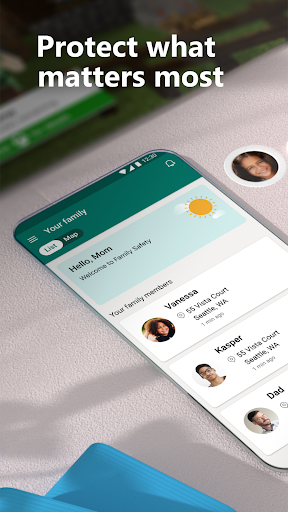
Microsoft Family Safety helps parents manage their children's digital and physical well-being. It suits families seeking to balance screen time and online exploration. For instance, parents can set app limits on a child's tablet to ensure homework is completed before playtime.
What Stands Out
- Set app and web content filters on Microsoft Edge to ensure age-appropriate online browsing for children.
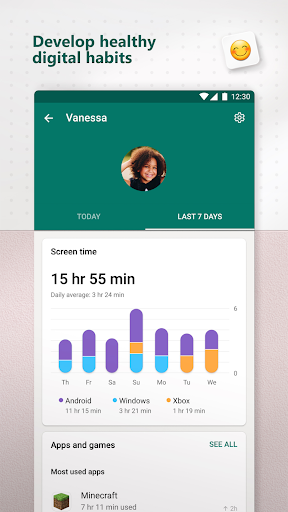
- Manage screen time limits for specific apps and games across Android, Windows, and Xbox devices.
- Receive weekly email activity reports detailing children's digital usage to facilitate conversations.
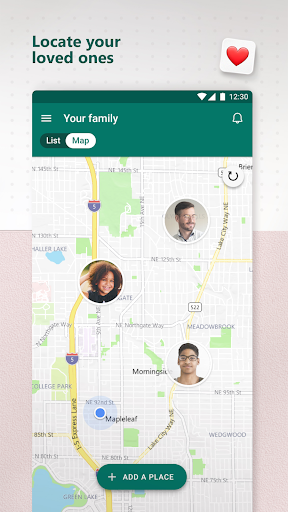
- Utilize location sharing to track family members' whereabouts and save important places like home or work.
Things to Consider
Premium features like location alerts and drive safety require a Microsoft 365 Family subscription. Drive safety is regionally restricted to specific countries. Location tracking and drive safety features require active location permissions to function correctly.
Useful Tips
- Review the weekly activity reports to understand your child's online habits and discuss them.
- Set specific screen time limits for apps your child uses most frequently on their devices.
- Save important locations like school and home for quick access and to monitor arrivals/departures.
- Configure web filters in Microsoft Edge to block inappropriate websites proactively.
More Apps
 ビックカメラShopping★ 5.01M+
 손목닥터9988Health & Fitness★ 5.01M+
 ScottishPower - Your EnergyHouse & Home★ 5.01M+
 調整さんProductivity★ 5.0100K+
 PrestaCOPFinance★ 5.050K+
 YouVersion BibleBooks & Reference★ 4.9100M+
 Question.AI - Chatbot&Math AIEducation★ 4.95M+
 Centi PRO - Currency ConverterFinance★ 4.91K+
 Word Search ExplorerWord★ 4.95M+
 Collage Maker | Photo EditorPhotography★ 4.9100M+
 Panera BreadFood & Drink★ 4.95M+
 StardustTV - Movies & DramasEntertainment★ 4.9500K+
 Waymo OneMaps & Navigation★ 4.91M+
 PopeyesFood & Drink★ 4.95M+
 CHANI: Your Astrology GuideLifestyle★ 4.950K+
 Al Quran (Tafsir & by Word)Books & Reference★ 4.95M+
 ColorNote Notepad NotesProductivity★ 4.9100M+
 SpeedwayFood & Drink★ 4.95M+
 Bubble Level - Level ToolTools★ 4.91M+
 MPCTravel & Local★ 4.91M+
 Marriott BonvoyTravel & Local★ 4.910M+
 ArriveCANTravel & Local★ 4.95M+
 LimeTravel & Local★ 4.910M+
 GIF Sticker & WAstickerSocial★ 4.95M+
 漢字辞典Books & Reference★ 4.9500K+
 ChewyShopping★ 4.910M+
 EventbriteEntertainment★ 4.910M+
 Vita MahjongBoard★ 4.9100M+
 NPRNews & Magazines★ 4.85M+
 7-ElevenFood & Drink★ 4.810M+