
Google Lens
1B+
App information
- Name:
- Google Lens
- Category:
- Tools
- Safety:
- Not verified
- Price:
- Free
- Developer:
- Google LLC
- Download:
- 1B+
Screenshots




About
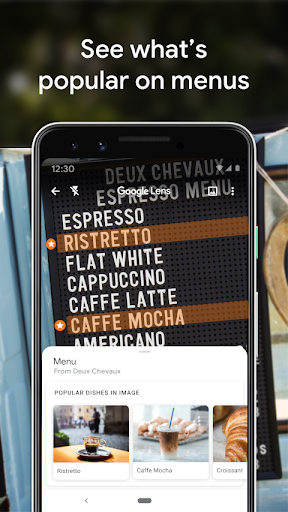
Google Lens empowers users to search and understand their surroundings using their camera. It suits travelers and students by instantly translating signs or identifying landmarks. For example, you can use it to decipher a foreign menu in real-time, making dining abroad much easier.
What Stands Out
- Translate foreign text directly from your camera view to aid communication.
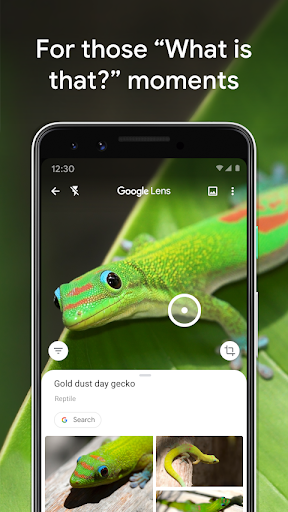
- Identify plants and animals by taking a photo for quick information retrieval.
- Discover details about places, including hours and ratings, by pointing your camera.
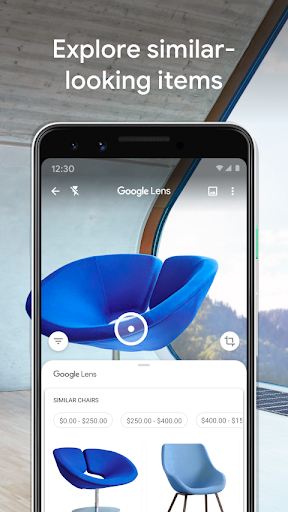
- Find similar-looking items like clothing or furniture from a photo.
Things to Consider
Some Google Lens features require an active internet connection to function. Availability may vary by region and language, so it's advisable to check g.co/help/lens for specific details. An account is not strictly required for basic scanning and identification features.
Useful Tips
- Point your camera at signs or documents to quickly translate text.
- Use Lens to identify unfamiliar plants or animals in your environment.
- Scan QR codes and barcodes by directing your camera at them.
- Explore nearby places by identifying storefronts and landmarks with your camera.
More Apps
 ビックカメラShopping★ 5.01M+
 손목닥터9988Health & Fitness★ 5.01M+
 ScottishPower - Your EnergyHouse & Home★ 5.01M+
 調整さんProductivity★ 5.0100K+
 PrestaCOPFinance★ 5.050K+
 YouVersion BibleBooks & Reference★ 4.9100M+
 Question.AI - Chatbot&Math AIEducation★ 4.95M+
 Centi PRO - Currency ConverterFinance★ 4.91K+
 Word Search ExplorerWord★ 4.95M+
 Collage Maker | Photo EditorPhotography★ 4.9100M+
 Panera BreadFood & Drink★ 4.95M+
 StardustTV - Movies & DramasEntertainment★ 4.9500K+
 Waymo OneMaps & Navigation★ 4.91M+
 PopeyesFood & Drink★ 4.95M+
 CHANI: Your Astrology GuideLifestyle★ 4.950K+
 Al Quran (Tafsir & by Word)Books & Reference★ 4.95M+
 ColorNote Notepad NotesProductivity★ 4.9100M+
 SpeedwayFood & Drink★ 4.95M+
 Bubble Level - Level ToolTools★ 4.91M+
 MPCTravel & Local★ 4.91M+
 Marriott BonvoyTravel & Local★ 4.910M+
 ArriveCANTravel & Local★ 4.95M+
 LimeTravel & Local★ 4.910M+
 GIF Sticker & WAstickerSocial★ 4.95M+
 漢字辞典Books & Reference★ 4.9500K+
 ChewyShopping★ 4.910M+
 EventbriteEntertainment★ 4.910M+
 Vita MahjongBoard★ 4.9100M+
 NPRNews & Magazines★ 4.85M+
 7-ElevenFood & Drink★ 4.810M+