
RAR
100M+
App information
- Name:
- RAR
- Category:
- Tools
- Safety:
- Not verified
- Price:
- Free
- Developer:
- RARLAB (published by win.rar GmbH)
- Download:
- 100M+
Screenshots


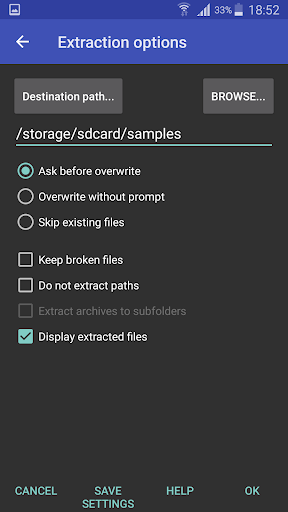

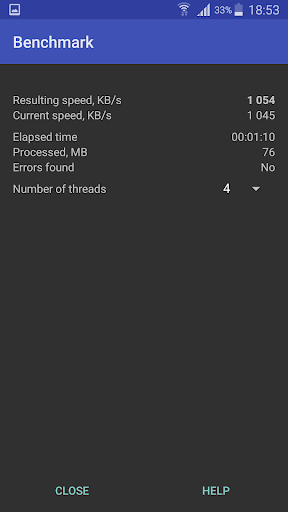





About
RAR is a versatile tool for managing compressed files, suitable for anyone needing to archive or extract data on their Android device. It helps users save space and organize documents efficiently, such as compressing photos before sharing them to reduce data usage and speed up uploads.
What Stands Out
- Unpacks a wide variety of archive formats, including RAR, ZIP, TAR, and 7z, making it easy to access files from different sources.
- Creates RAR and ZIP archives, allowing users to bundle multiple files for easier storage and sharing.
- Includes a file manager for basic operations like copying, moving, and renaming files and folders directly within the app.
- Supports password-protected archives for both ZIP and RAR formats, enhancing the security of sensitive data.
Things to Consider
RAR is free to use and does not require an account for its core compression and extraction features. The app is available directly from verified app stores. Users should ensure they are downloading from official sources to avoid security risks with APK files.
Useful Tips
- Use the 'Unpack here' option for quick extraction of archive contents directly into the current folder.
- Explore the 'Create archive' function to bundle multiple related files into a single, manageable file.
- Utilize the built-in file manager to easily navigate, rename, or move your compressed files and folders.
- Leverage password protection when creating archives containing sensitive information for added security.
More Apps
 ビックカメラShopping★ 5.01M+
 손목닥터9988Health & Fitness★ 5.01M+
 ScottishPower - Your EnergyHouse & Home★ 5.01M+
 調整さんProductivity★ 5.0100K+
 PrestaCOPFinance★ 5.050K+
 YouVersion BibleBooks & Reference★ 4.9100M+
 Question.AI - Chatbot&Math AIEducation★ 4.95M+
 Centi PRO - Currency ConverterFinance★ 4.91K+
 Word Search ExplorerWord★ 4.95M+
 Collage Maker | Photo EditorPhotography★ 4.9100M+
 Panera BreadFood & Drink★ 4.95M+
 StardustTV - Movies & DramasEntertainment★ 4.9500K+
 Waymo OneMaps & Navigation★ 4.91M+
 PopeyesFood & Drink★ 4.95M+
 CHANI: Your Astrology GuideLifestyle★ 4.950K+
 Al Quran (Tafsir & by Word)Books & Reference★ 4.95M+
 ColorNote Notepad NotesProductivity★ 4.9100M+
 SpeedwayFood & Drink★ 4.95M+
 Bubble Level - Level ToolTools★ 4.91M+
 MPCTravel & Local★ 4.91M+
 Marriott BonvoyTravel & Local★ 4.910M+
 ArriveCANTravel & Local★ 4.95M+
 LimeTravel & Local★ 4.910M+
 GIF Sticker & WAstickerSocial★ 4.95M+
 漢字辞典Books & Reference★ 4.9500K+
 ChewyShopping★ 4.910M+
 EventbriteEntertainment★ 4.910M+
 Vita MahjongBoard★ 4.9100M+
 NPRNews & Magazines★ 4.85M+
 7-ElevenFood & Drink★ 4.810M+