
Canon Print
50M+
App information
- Name:
- Canon Print
- Category:
- Tools
- Safety:
- Not verified
- Price:
- Free
- Developer:
- Canon Inc.
- Download:
- 50M+
Screenshots


About
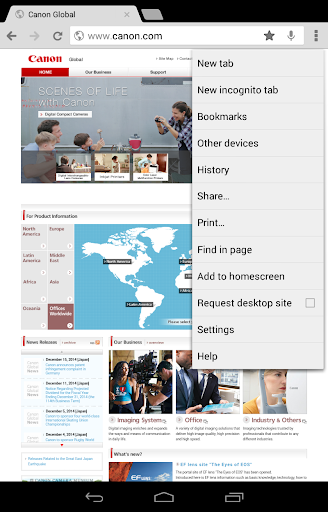
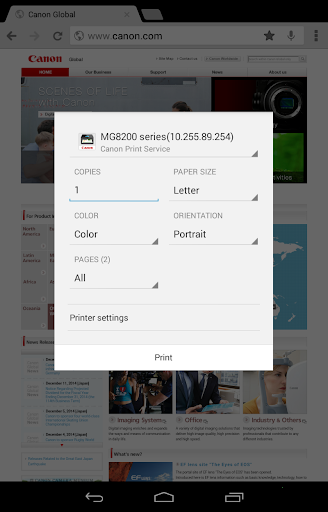
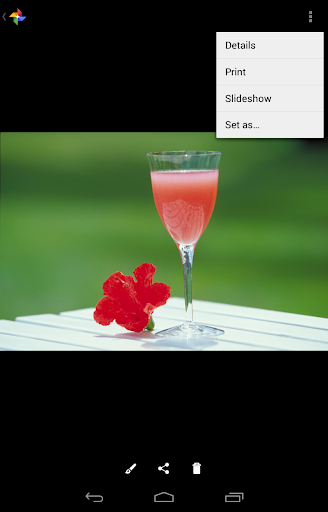
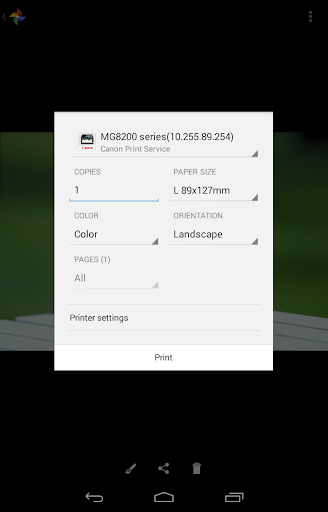
Canon Print Service enables simple printing from Android devices to compatible Canon printers over a wireless network. It suits users who need to print documents or photos directly from their smartphone or tablet without complex setups, like quickly printing a boarding pass from a travel app.
What Stands Out
- Enables borderless printing for photos, ensuring full-page images without white margins.
- Supports secure printing and Department ID management for controlled access in office environments.
- Allows PDF direct printing, bypassing the need for other applications to open files before printing.
- Facilitates printer discovery via IP address, useful when automatic network detection fails.
Things to Consider
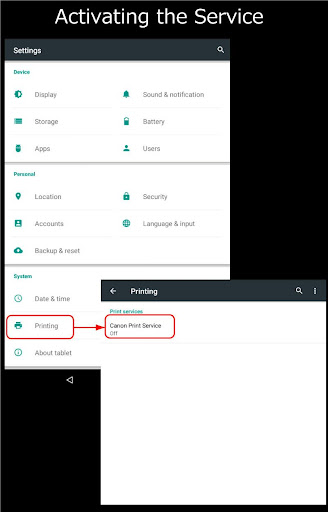
On Android 6 or earlier, manual activation of the Canon Print Service is required through device settings or a post-installation notification. For newer Android versions, activation is automatic. Printer compatibility can vary, so checking if your specific Canon model is supported is recommended before use.
Useful Tips
- Activate the service manually on Android 6 or earlier by navigating to Settings > Printing > Canon Print Service.
- Utilize the 'Recall from share menu' option for quick printing of content from various applications.
- Switch between color and black-and-white printing settings to manage ink usage and print speed.
- Configure 2-sided or 2-on-1 printing to save paper for documents or drafts.
More Apps
 ビックカメラShopping★ 5.01M+
 손목닥터9988Health & Fitness★ 5.01M+
 ScottishPower - Your EnergyHouse & Home★ 5.01M+
 調整さんProductivity★ 5.0100K+
 PrestaCOPFinance★ 5.050K+
 YouVersion BibleBooks & Reference★ 4.9100M+
 Question.AI - Chatbot&Math AIEducation★ 4.95M+
 Centi PRO - Currency ConverterFinance★ 4.91K+
 Word Search ExplorerWord★ 4.95M+
 Collage Maker | Photo EditorPhotography★ 4.9100M+
 Panera BreadFood & Drink★ 4.95M+
 StardustTV - Movies & DramasEntertainment★ 4.9500K+
 Waymo OneMaps & Navigation★ 4.91M+
 PopeyesFood & Drink★ 4.95M+
 CHANI: Your Astrology GuideLifestyle★ 4.950K+
 Al Quran (Tafsir & by Word)Books & Reference★ 4.95M+
 ColorNote Notepad NotesProductivity★ 4.9100M+
 SpeedwayFood & Drink★ 4.95M+
 Bubble Level - Level ToolTools★ 4.91M+
 MPCTravel & Local★ 4.91M+
 Marriott BonvoyTravel & Local★ 4.910M+
 ArriveCANTravel & Local★ 4.95M+
 LimeTravel & Local★ 4.910M+
 GIF Sticker & WAstickerSocial★ 4.95M+
 漢字辞典Books & Reference★ 4.9500K+
 ChewyShopping★ 4.910M+
 EventbriteEntertainment★ 4.910M+
 Vita MahjongBoard★ 4.9100M+
 NPRNews & Magazines★ 4.85M+
 7-ElevenFood & Drink★ 4.810M+