

MyHyundai
1M+
App information
- Name:
- MyHyundai
- Category:
- Productivity
- Safety:
- Not verified
- Price:
- Free
- Developer:
- Hyundai Motor America
- Download:
- 1M+
Screenshots









About
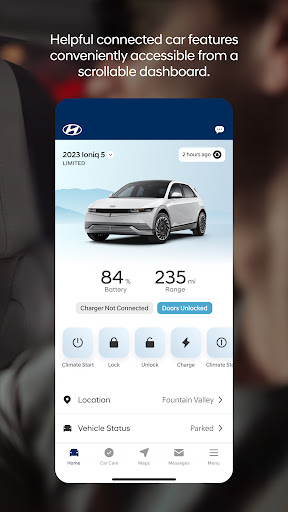
The MyHyundai app offers Hyundai owners remote vehicle access and service scheduling. It suits drivers who want to manage their car from their phone, like starting the engine on a cold morning or checking charging status for electric models. This app simplifies vehicle ownership by centralizing key information and remote functions.
What Stands Out
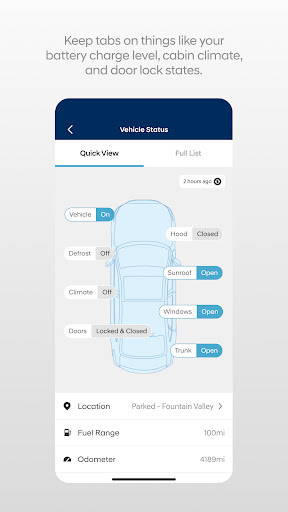
- Remotely start, lock, or unlock your vehicle for added convenience and security.
- Monitor charging status and manage schedules for electric and plug-in hybrid models.
- Schedule service appointments directly through the app to maintain your vehicle.
- Access user tutorials to learn about your Hyundai's key features.
Things to Consider
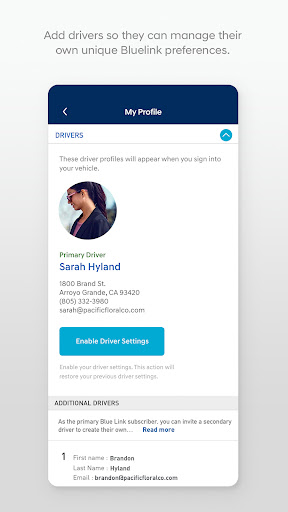
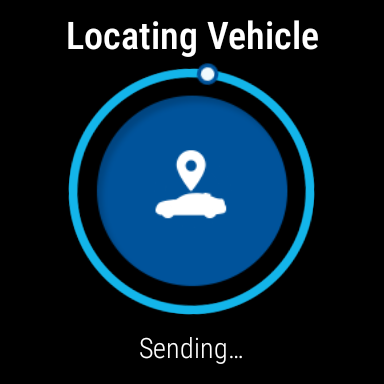
An active Bluelink subscription is required for most remote features. Not all features are supported on every vehicle model; check HyundaiBluelink.com for compatibility. The app integrates with Wear OS smartwatches, but requires a compatible vehicle and subscription for connected functionalities.
Useful Tips
- Enable biometric authentication for quick and secure login to access remote features.
- Use the 'Find My Car' feature to quickly locate your parked vehicle.
- Explore the user tutorials within the app to discover and utilize your car's specific functions.
- Set up vehicle charging schedules within the app for EV and PHEV owners.
More Apps
 ビックカメラShopping★ 5.01M+
 손목닥터9988Health & Fitness★ 5.01M+
 ScottishPower - Your EnergyHouse & Home★ 5.01M+
 調整さんProductivity★ 5.0100K+
 PrestaCOPFinance★ 5.050K+
 YouVersion BibleBooks & Reference★ 4.9100M+
 Question.AI - Chatbot&Math AIEducation★ 4.95M+
 Centi PRO - Currency ConverterFinance★ 4.91K+
 Word Search ExplorerWord★ 4.95M+
 Collage Maker | Photo EditorPhotography★ 4.9100M+
 Panera BreadFood & Drink★ 4.95M+
 StardustTV - Movies & DramasEntertainment★ 4.9500K+
 Waymo OneMaps & Navigation★ 4.91M+
 PopeyesFood & Drink★ 4.95M+
 CHANI: Your Astrology GuideLifestyle★ 4.950K+
 Al Quran (Tafsir & by Word)Books & Reference★ 4.95M+
 ColorNote Notepad NotesProductivity★ 4.9100M+
 SpeedwayFood & Drink★ 4.95M+
 Bubble Level - Level ToolTools★ 4.91M+
 MPCTravel & Local★ 4.91M+
 Marriott BonvoyTravel & Local★ 4.910M+
 ArriveCANTravel & Local★ 4.95M+
 LimeTravel & Local★ 4.910M+
 GIF Sticker & WAstickerSocial★ 4.95M+
 漢字辞典Books & Reference★ 4.9500K+
 ChewyShopping★ 4.910M+
 EventbriteEntertainment★ 4.910M+
 Vita MahjongBoard★ 4.9100M+
 NPRNews & Magazines★ 4.85M+
 7-ElevenFood & Drink★ 4.810M+