

My Optus
5M+
App information
- Name:
- My Optus
- Category:
- Tools
- Safety:
- Not verified
- Price:
- Free
- Developer:
- Optus Mobile Pty Ltd
- Download:
- 5M+
Screenshots





About
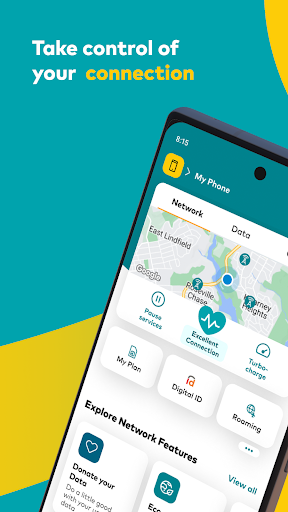
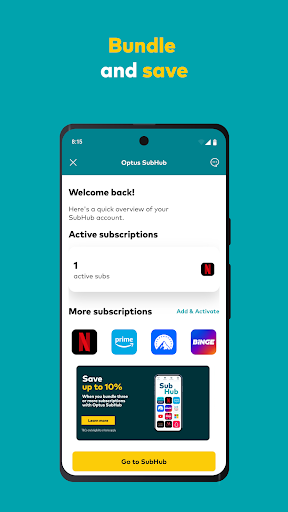
The My Optus App helps Optus customers manage their mobile and home internet services efficiently. It suits individuals who want easy control over their plans, data usage, and network performance. For example, users can quickly boost their data for a day when unexpectedly needing more internet access.
What Stands Out
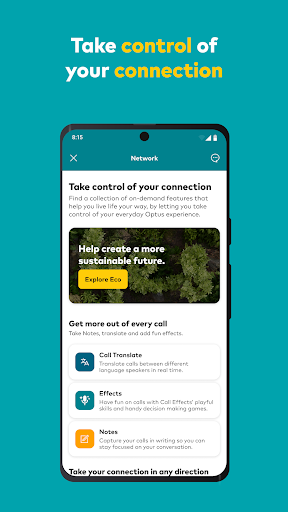
- Manage Optus network performance, including pausing internet or increasing data for a day.
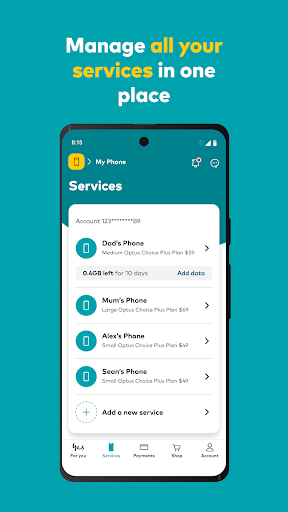
- View and manage active subscriptions through the SubHub feature.
- Access 24/7 customer support directly within the app for quick assistance.
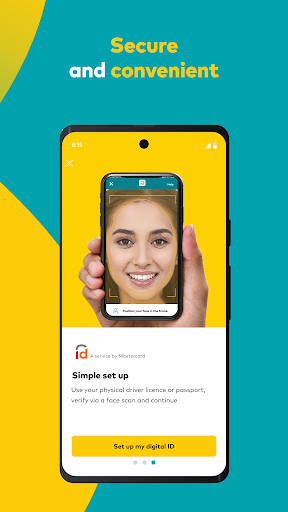
- Make secure and convenient payments for Optus services.
Things to Consider
The My Optus App requires an account for most service management features, though non-customers can explore the network and deals. Android users need version 10 or above. For specific details on app capabilities and potential charges for certain actions, it is advisable to check the official Optus support website.
Useful Tips
- Check your network performance directly in the app to identify potential issues.
- Use the app to purchase a data top-up when you are running low.
- Explore the SubHub section to review your current subscriptions and potential savings.
- Initiate a support chat through the messaging feature for quick help.
More Apps
 ビックカメラShopping★ 5.01M+
 손목닥터9988Health & Fitness★ 5.01M+
 ScottishPower - Your EnergyHouse & Home★ 5.01M+
 調整さんProductivity★ 5.0100K+
 PrestaCOPFinance★ 5.050K+
 YouVersion BibleBooks & Reference★ 4.9100M+
 Question.AI - Chatbot&Math AIEducation★ 4.95M+
 Centi PRO - Currency ConverterFinance★ 4.91K+
 Word Search ExplorerWord★ 4.95M+
 Collage Maker | Photo EditorPhotography★ 4.9100M+
 Panera BreadFood & Drink★ 4.95M+
 StardustTV - Movies & DramasEntertainment★ 4.9500K+
 Waymo OneMaps & Navigation★ 4.91M+
 PopeyesFood & Drink★ 4.95M+
 CHANI: Your Astrology GuideLifestyle★ 4.950K+
 Al Quran (Tafsir & by Word)Books & Reference★ 4.95M+
 ColorNote Notepad NotesProductivity★ 4.9100M+
 SpeedwayFood & Drink★ 4.95M+
 Bubble Level - Level ToolTools★ 4.91M+
 MPCTravel & Local★ 4.91M+
 Marriott BonvoyTravel & Local★ 4.910M+
 ArriveCANTravel & Local★ 4.95M+
 LimeTravel & Local★ 4.910M+
 GIF Sticker & WAstickerSocial★ 4.95M+
 漢字辞典Books & Reference★ 4.9500K+
 ChewyShopping★ 4.910M+
 EventbriteEntertainment★ 4.910M+
 Vita MahjongBoard★ 4.9100M+
 NPRNews & Magazines★ 4.85M+
 7-ElevenFood & Drink★ 4.810M+