

System Update for Android
1M+
App information
- Name:
- System Update for Android
- Category:
- Tools
- Safety:
- Not verified
- Price:
- Free
- Developer:
- Arum Communications
- Download:
- 1M+
Screenshots


About
This app offers insights into Android system modules and installed applications. It suits users who want to monitor their device's software status. For instance, it can help you proactively check for updates to essential components like Google Play Services, ensuring smoother performance.
What Stands Out
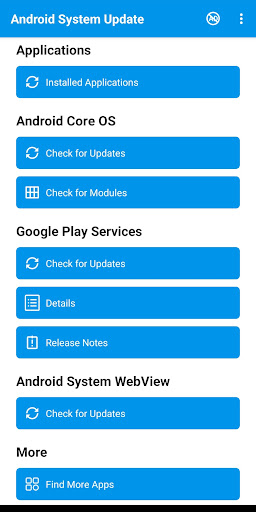
- Checks for updates for Android System WebView, helping maintain a key component for app functionality.
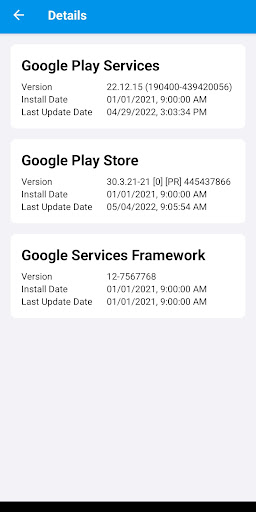
- Provides detailed information and release notes for Google Play Services, allowing users to understand changes.
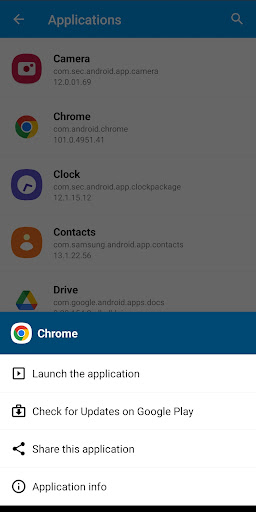
- Allows launching installed applications directly from the app's interface.
- Facilitates checking for updates for individual installed applications via Google Play.
Things to Consider
The app's support for Android OS updates is currently limited to certain devices, with expansion planned. While it checks for updates, actual installation relies on Google Play or system prompts. No account is required for core functionality, and no payment details are mentioned.
Useful Tips
- Tap 'Check for updates' for Google Play Services to ensure you have the latest version.
- Use the 'Application information' option for installed apps to review details like version and permissions.
- Select 'Launch an application' to quickly open any installed app without leaving the System Update app.
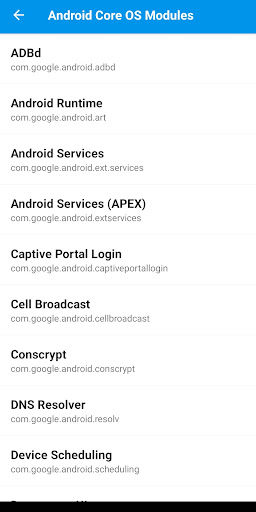
- Periodically check the Android Core OS modules section for available updates to system components.
More Apps
 ビックカメラShopping★ 5.01M+
 손목닥터9988Health & Fitness★ 5.01M+
 ScottishPower - Your EnergyHouse & Home★ 5.01M+
 調整さんProductivity★ 5.0100K+
 PrestaCOPFinance★ 5.050K+
 YouVersion BibleBooks & Reference★ 4.9100M+
 Question.AI - Chatbot&Math AIEducation★ 4.95M+
 Centi PRO - Currency ConverterFinance★ 4.91K+
 Word Search ExplorerWord★ 4.95M+
 Collage Maker | Photo EditorPhotography★ 4.9100M+
 Panera BreadFood & Drink★ 4.95M+
 StardustTV - Movies & DramasEntertainment★ 4.9500K+
 Waymo OneMaps & Navigation★ 4.91M+
 PopeyesFood & Drink★ 4.95M+
 CHANI: Your Astrology GuideLifestyle★ 4.950K+
 Al Quran (Tafsir & by Word)Books & Reference★ 4.95M+
 ColorNote Notepad NotesProductivity★ 4.9100M+
 SpeedwayFood & Drink★ 4.95M+
 Bubble Level - Level ToolTools★ 4.91M+
 MPCTravel & Local★ 4.91M+
 Marriott BonvoyTravel & Local★ 4.910M+
 ArriveCANTravel & Local★ 4.95M+
 LimeTravel & Local★ 4.910M+
 GIF Sticker & WAstickerSocial★ 4.95M+
 漢字辞典Books & Reference★ 4.9500K+
 ChewyShopping★ 4.910M+
 EventbriteEntertainment★ 4.910M+
 Vita MahjongBoard★ 4.9100M+
 NPRNews & Magazines★ 4.85M+
 7-ElevenFood & Drink★ 4.810M+